 FnOLens
Jump between environments
From UAT to DEV to PROD in one click, on the same page, company and language. Or press Alt+Shift+H.
Hop between environments without losing your place, find any table, field or data entity in seconds, point at anything on screen to see what it is, and turn it into Excel in one click.
30-day Pro trial included. No sign-up. Read-only: it never changes data in D365.
Functional consultants, developers, architects and key users: everyone who asks "which table is this?" ten times a day.
FnOLens never writes to Dynamics 365. It reads, explains and exports.
No accounts, no tracking, no analytics. Your data never leaves your browser.
Search 18,000+ tables, 220,000+ fields and 5,800 data entities as you type.
Everything works on the D365 page you already have open.
From UAT to DEV to PROD in one click, on the same page, company and language. Or press Alt+Shift+H.
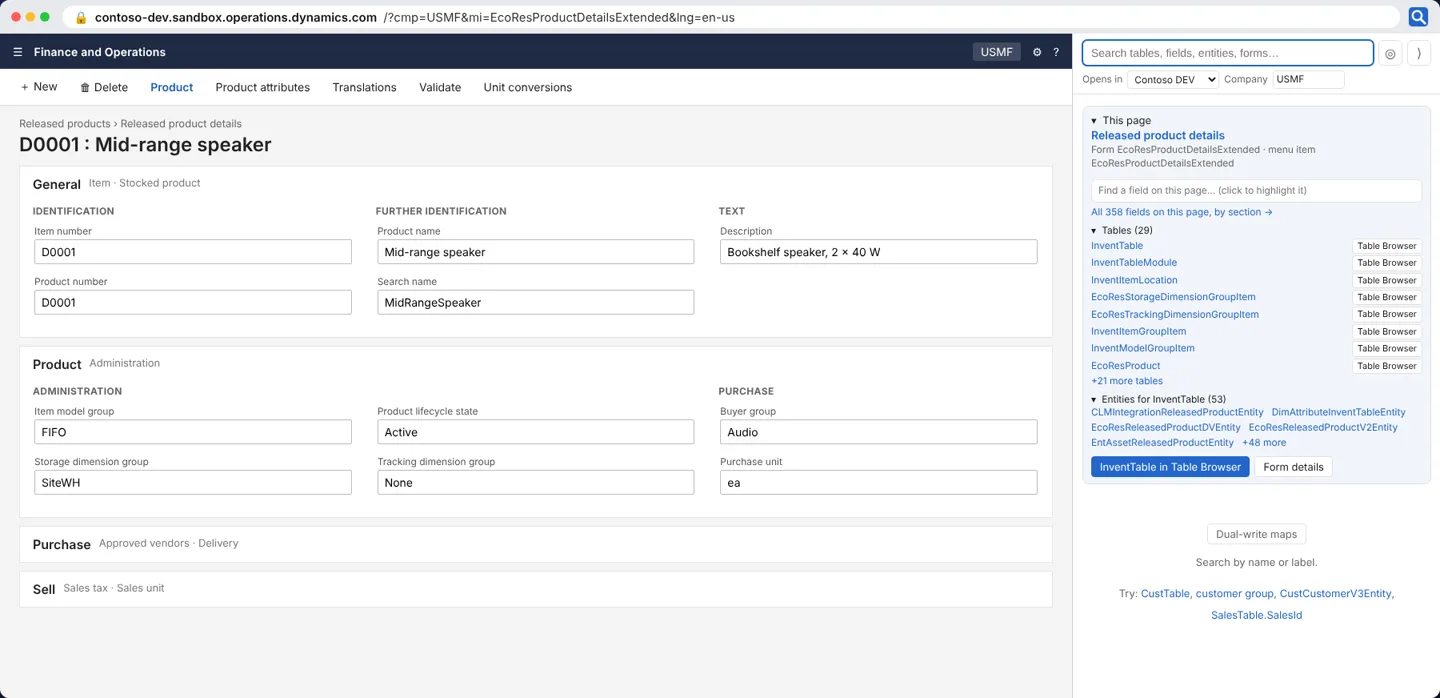
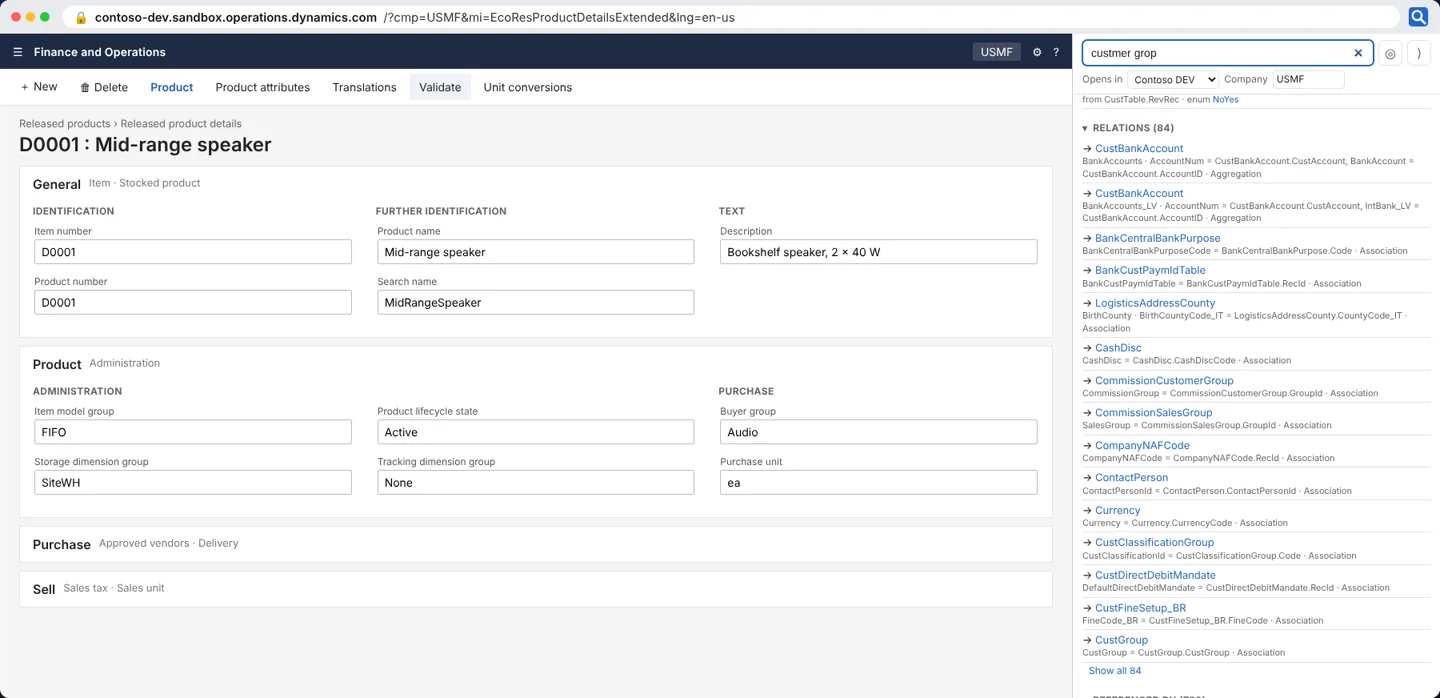
Tables, fields, data entities, forms, menu items and enums. Type what you see on screen, like "customer group". Typos are fine.
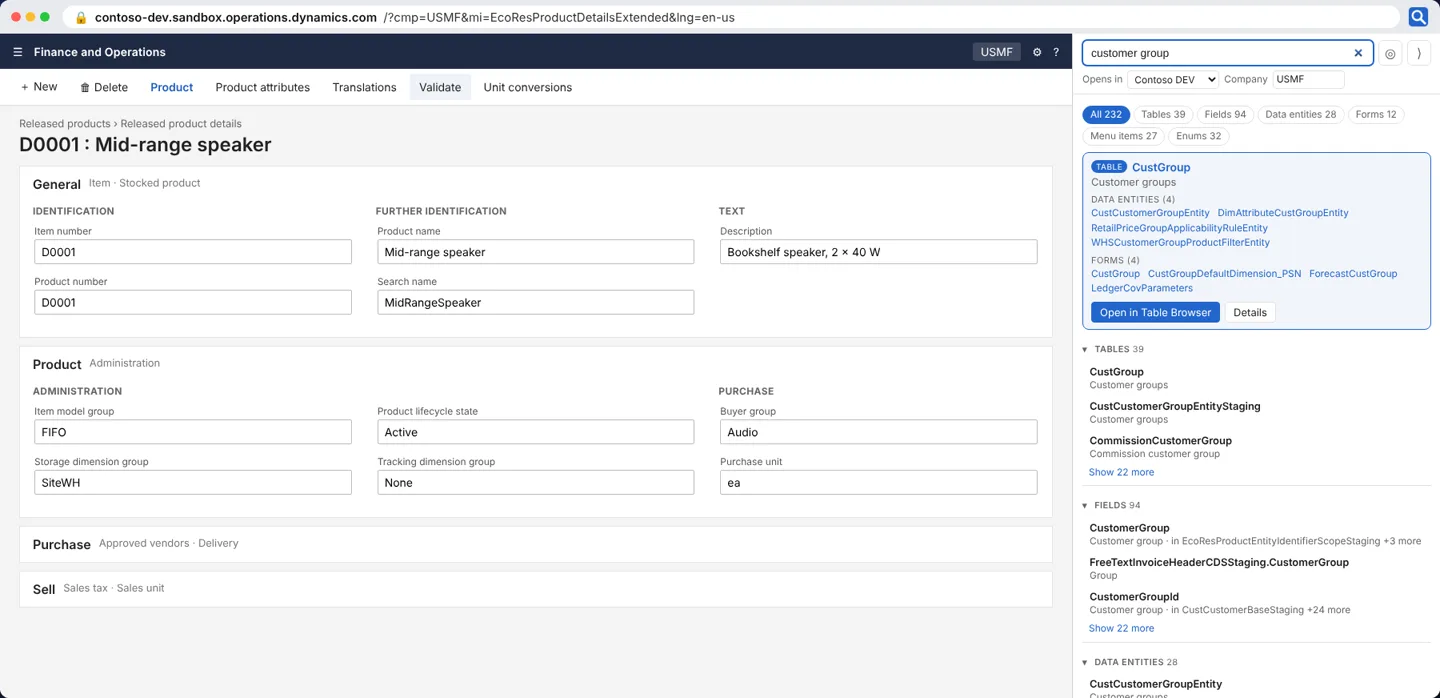
Click ◎ Pick, then any field or button on the page. FnOLens shows the table and field, its type and enum values, relations, every form it appears on and the data entities that expose it.
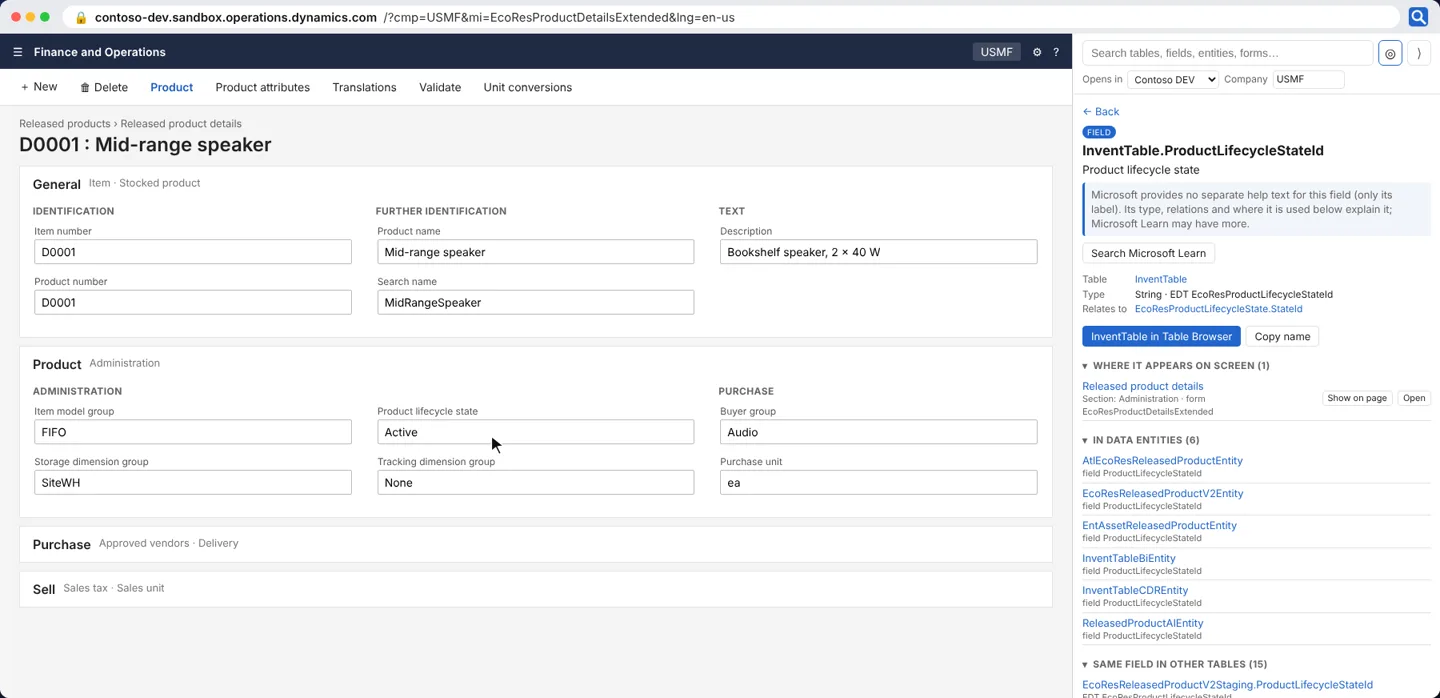
Data sources, staging table, OData names and field-by-field mapping to tables, with string lengths and enum values.
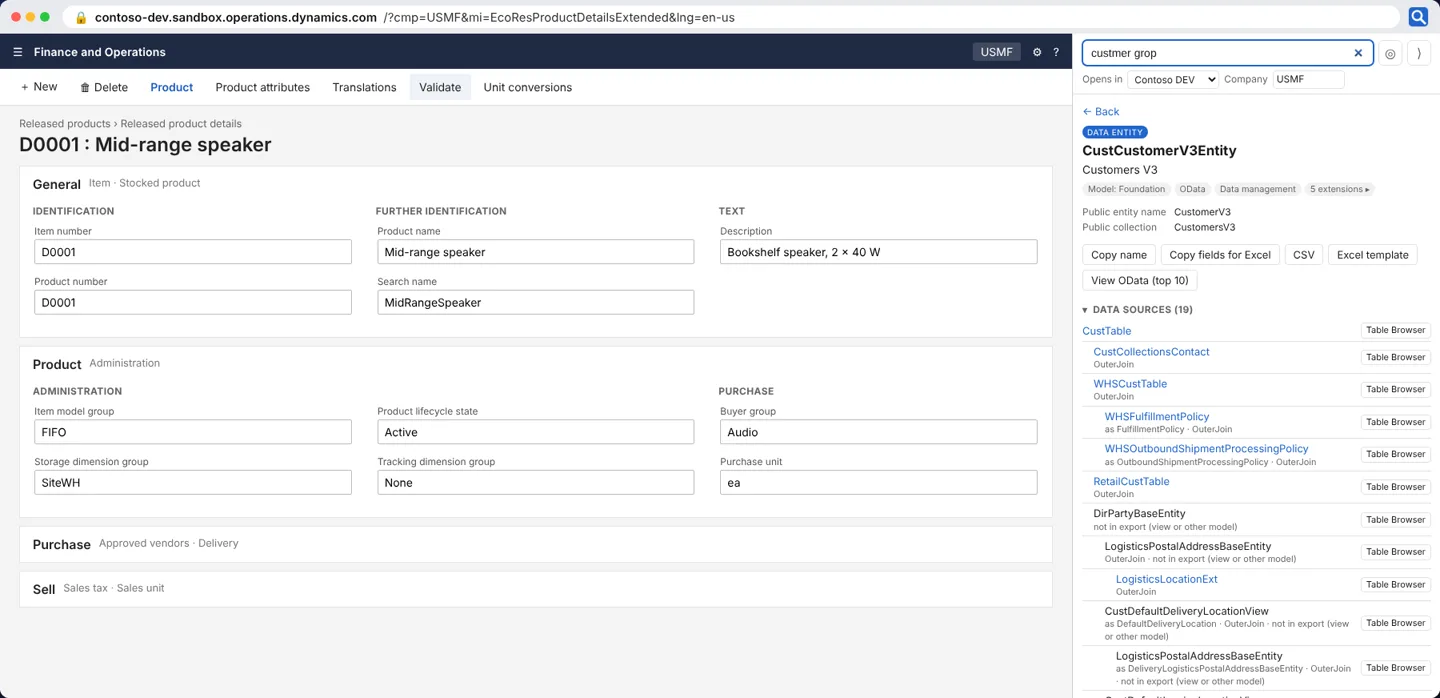
Fields, relations, references, the forms and entities that use a table, and every button and calculated value on a form.
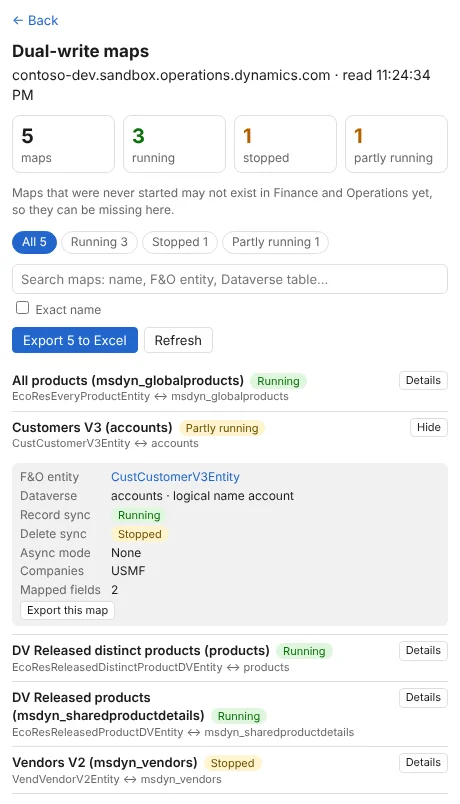
How many maps are running or stopped, search by name, see record and delete sync status, and export maps with their field mappings, directions and value maps to Excel.
Start with a 30-day Pro trial. No sign-up, no card.
For everyone
For one person
For companies and partners · minimum 5 users
| Feature | Free | Pro | Team |
|---|---|---|---|
| Environment hop | ✓ | ✓ | ✓ |
| Search by name or label (result list) | ✓ | ✓ | ✓ |
| Table, field, entity, form and enum details | – | ✓ | ✓ |
| This page, find a field, highlight on page | – | ✓ | ✓ |
| ◎ Pick fields and buttons | – | ✓ | ✓ |
| Table Browser, Open form, OData | – | ✓ | ✓ |
| Excel / CSV field lists, DMF Excel template | – | ✓ | ✓ |
| Dual-write maps and exports | – | ✓ | ✓ |
| Your own metadata (custom models) | – | – | ✓ |
No. FnOLens is read-only. It reads the page you are on and its own metadata, opens D365 pages in new tabs, and exports to files on your computer.
No. There are no accounts, no analytics and no FnOLens servers. Metadata is stored in your browser. The only thing FnOLens reads from D365 is the dual-write map list, and only when you open that view, with your own sign-in.
Google Chrome and Microsoft Edge (Edge installs Chrome Web Store extensions).
FnOLens includes Microsoft's standard models. With the Team plan you can load your own metadata, including your custom models and extensions.
Pro starts as a 30-day trial the first time you use FnOLens. After that, Free keeps working; Pro features need a licence key.
Chrome and Edge update FnOLens automatically, including new metadata when Microsoft releases a new D365 version.